Application of 360-Degree Surround View in Unmanned Substations
Application of 360-Degree Surround View in Unmanned Substations
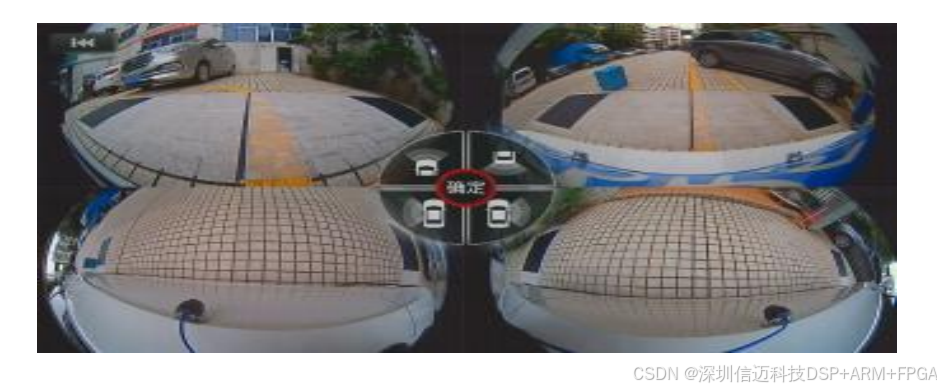
This system uses software algorithms to synthesize images from four outdoor fisheye lenses into a seamless panoramic image, which is then overlaid with a virtual 3D substation model. This composite image is transmitted in real-time via video signal to the central control display. The greatest innovation of this technology is that users can create custom viewpoints, i.e., custom virtual cameras. The system can freely and dynamically switch perspectives, intelligently emphasizing images of different areas around the substation during both static and dynamic processes. Simultaneously, this system also functions as a remote monitoring system, providing users with 24/7 monitoring records, comprehensive and blind-spot-free monitoring assistance from all angles, and other features. It is a high-tech smart hardware product integrated with AI.
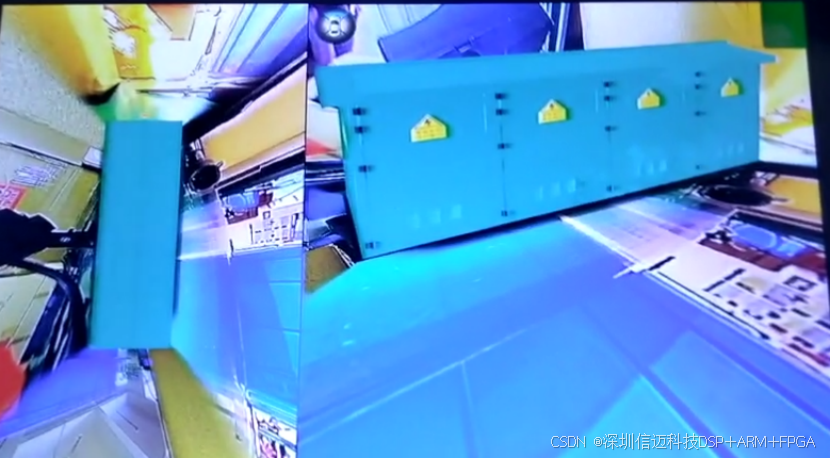
Main Menu - Feature Overview:
User Settings Boot Rotation Time Side Default Perspective Front Default Perspective Rear Default Perspective
System Time Settings Image Brightness Adjustment Default Perspective Fine-tuning
Function Settings Pedestrian Alarm Trigger Settings Screensaver Time Settings Trajectory Function Settings AI Trigger Settings
3D Model Settings Substation Style Rotation Image Fill Fill Style Settings
Custom Graphic Settings Transparent Graphic Function
Stitching Calibration Image Calibration Language Settings Import/Export
Substation Model Shadow Adjustment Dynamic Image Matching Screen Boundary Adjustment
Version Information Core Board Version Information Restore Factory Settings Product Information Baseboard Software and Hardware Version
Recording Function Automatic Recording Recording List
Format USB Drive Video Lock Recording Duration Settings
Product Performance Features
4 x 190-degree ultra-wide-angle fisheye lenses. Achieves efficient, high-precision seamless fusion based on T507 smart hardware. Intelligent and 3D dynamic perspective switching. Hardware-accelerated fisheye correction. Equipped with a 4-channel real-time brightness design engine, excellent automatic brightness balancing function. 3D deinterlacing technology and 3D noise reduction technology. H.264 compression-based recording function. Supports dual SD cards as recording media. Low-cost calibration peripherals and simplified calibration steps. Maximum recording resolution 3840*2160. Industrial-grade chipset and protection components to ensure optimal system performance and stability.
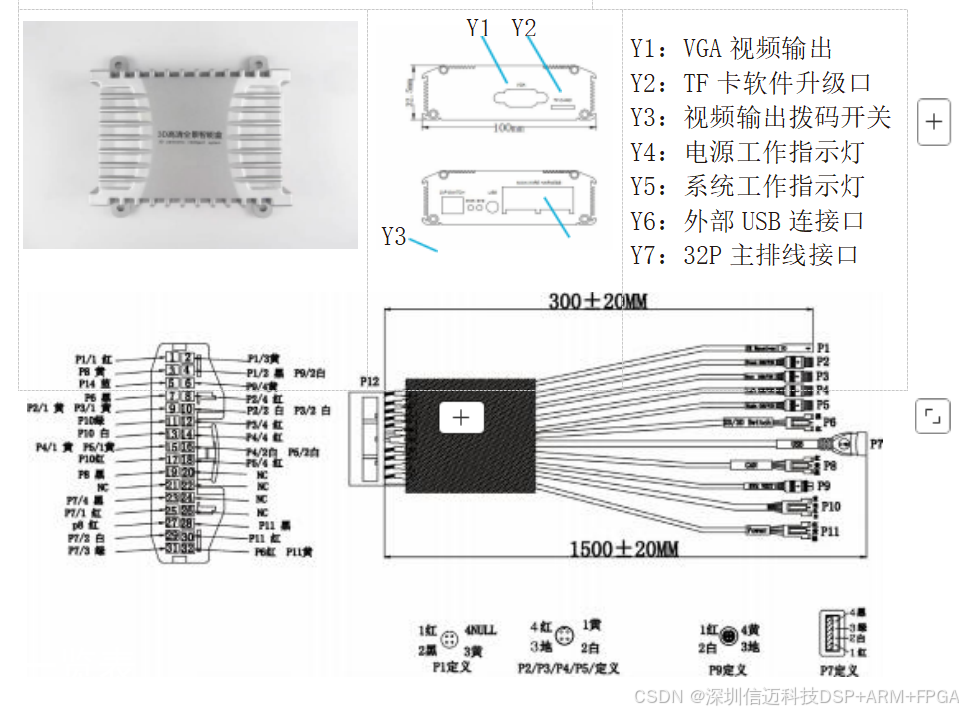
Product models may vary in appearance. Host Interface
Y1: VGA video output Y2: TF card software upgrade port Y3: Video output DIP switch Y4: Power indicator light Y5: System status indicator light Y6: External USB connection port Y7: 32P main ribbon cable interface
Overview List
Main Menu Feature Overview
P1: Connect to remote control extension cable P2: Connect to front camera extension cable P3: Connect to rear camera extension cable P4: Connect to left camera extension cable P5: Connect to right camera extension cable P6: Connect to button control cable P7: Connect to USB storage device P8: Connect to serial protocol cable P9: Connect to video output cable P10: Connect to trigger extension cable P11: Connect to power extension cable P12: 32p connect to panoramic host
Image Stitching Calibration
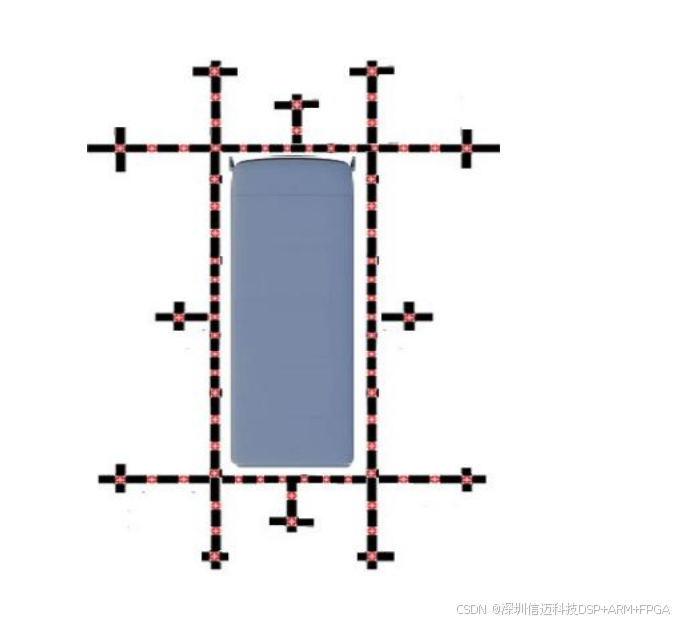
Enter "Main Menu" - "Stitching Calibration" - some versions require a password, the default password is "0000". Enter "Image Calibration" - Calibration method selection: Manual calibration / Automatic calibration. Manual calibration: Low site requirements, high success rate, requires manual point plotting. Automatic calibration: Requires a designated stitching cloth, demands a spacious site, automatically scans calibration points, short calibration time, generally used for large-scale production line operations.
Manual Calibration Step One
Calibration Size Settings:
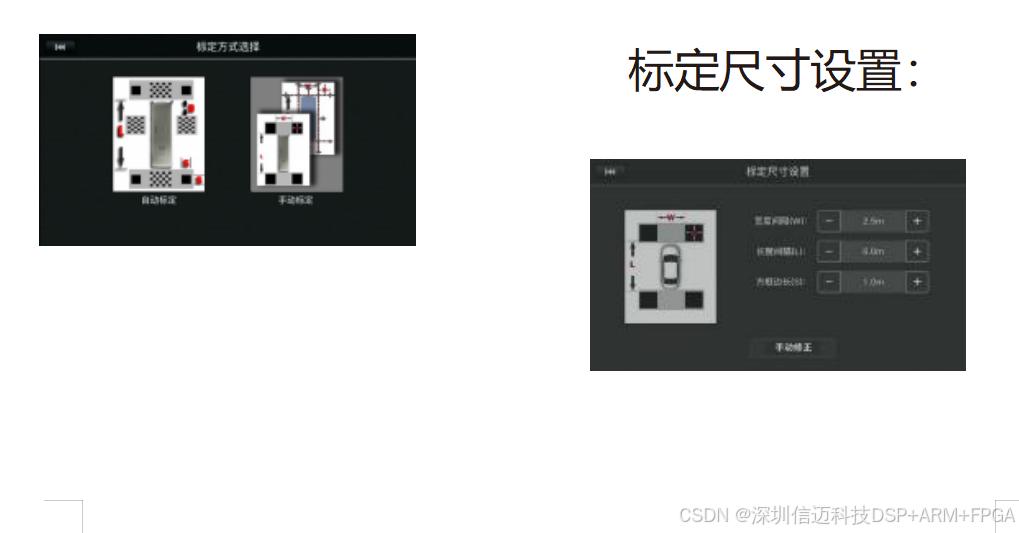
Select calibration size based on site size and vehicle size. Generally, there are three methods for ground calibration points:
- Custom calibration cloth (fixed size, requires wind protection, typically for outdoor sites).
- Calibration tape (multiple adjustable sizes, adheres to smoother surfaces, single-use).
- Other calibration objects (tape measure, leather tape, custom wooden boards, ground paint, etc.).
Note: Calibration sizes can be proportionally scaled down or up. For example, when calibrating a toy house model, if the "Block Side Length" menu selects 1M, the actual size can be reduced to 1/5, which is 20cm. All dimensions use the same scale, and the final effect will be automatically scaled.