AI Server PCIe Topology and PCIe 4.0 x16 Riser Card Application Research Based on Domestic PCIe 4.0/5.0 Switches (Part 4)
GPU PCIe Topology Switching Design in AI Servers
For different deep learning training models, combined with practical application scenarios, it is often necessary to switch between different GPU PCIe topologies within the same server to optimize performance. Manually changing cable connections requires opening the chassis, which is not user-friendly and may lead to workplace injuries such as cut fingers for maintenance personnel.
The following 2 solutions can achieve BMC (Baseboard Management Controller) remote one-click topology switching.
(1) GPU Topology Remote One-Click Switching Based on PCIe Switch FW Technology
As shown in Figure 11, Port0 of PCIeSwitch0 is always an upstream port, and Port1 is always a downstream port; Port0 of PCIeSwitch1 is always an upstream port, and Port1 is always an upstream port. The topology switching is achieved by configuring the FW of PCIeSwitch1 or sending configuration commands to PCIeSwitch1.
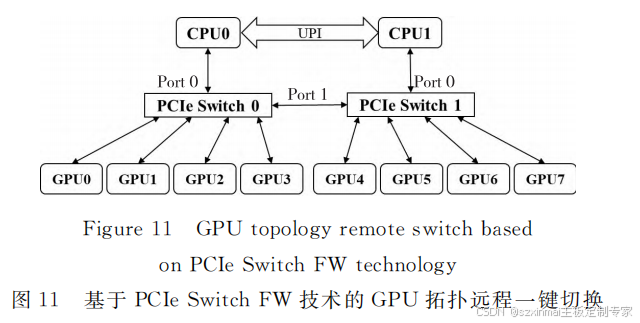
If switching to Balance Mode, the BMC configures the FW of PCIeSwitch1 or sends configuration commands to PCIeSwitch1, to assign GPU4~GPU7 under PCIeSwitch1 to Port0 of PCIeSwitch1; if switching to Cascade Mode, the BMC configures the FW of PCIeSwitch1 or sends configuration commands to PCIeSwitch1, to assign the corresponding GPU4~GPU7 under PCIeSwitch1 to Port1 of PCIeSwitch1.
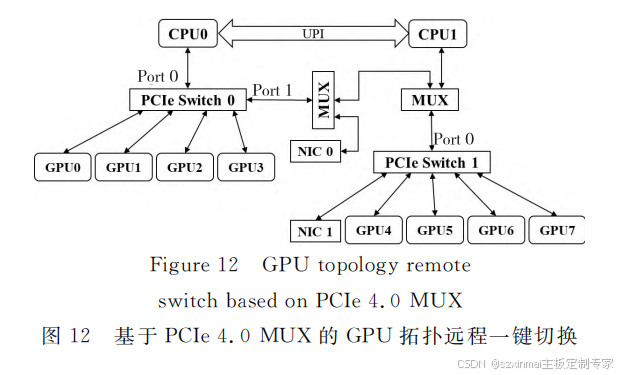
(2) GPU Topology Remote One-Click Switching Based on PCIe 4.0 MUX.
As shown in Figure 12, Port0 of PCIeSwitch0 is always an upstream port, and Port1 is always a downstream port; Port0 of PCIeSwitch1 is always an upstream port. The topology switching is achieved by the BMC controlling the PCIe MUX.
If switching to Balance Mode, the BMC configures the PCIe 4.0 MUX to connect PCIeSwitch0 Port1 to NIC0, and CPU1 to Port0 of PCIeSwitch1; if switching to Cascade Mode, the BMC configures the PCIe 4.0 MUX to connect Port1 of PCIe Switch 0 to PCIe Switch1's Port0.
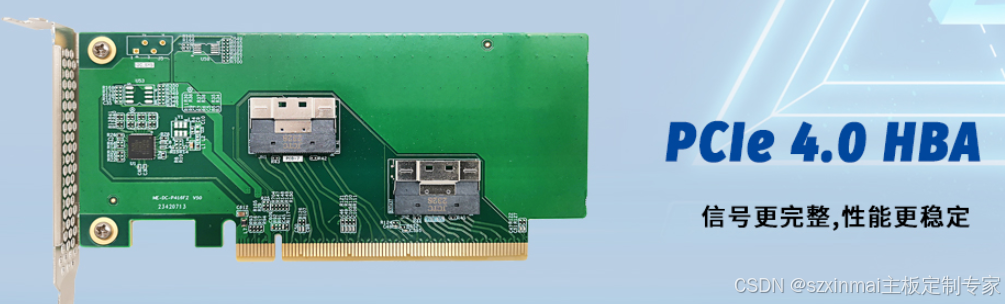
==============PCIe 4.0 x16 Riser Card=================
- High-performance 16GT/s SerDes, capable of compensating up to 28dB channel loss
- Eliminates deterministic and random jitter
- Tx/Rx per-channel performance adjustable
- Supports channel polarity inversion
- Supports hot-plugging
- Low power consumption, low latency
- Complies with PCIe 4.0 base specification, compatible with PCIe 3.0 and earlier specifications
Features
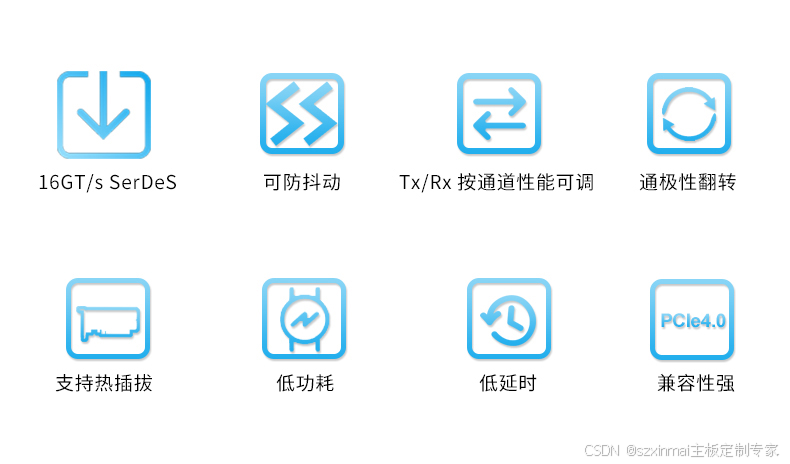
· High-performance 16GT/s SerDes, capable of compensating up to 28dB channel loss; · Eliminates deterministic and random jitter; · Tx/Rx per-channel performance adjustable; · Supports channel polarity inversion; · Supports hot-plugging; · Low power consumption, low latency; · Complies with PCIe 4.0 base specification, compatible with PCIe 3.0 and earlier specifications;