IoT HMI/Gateway Featuring ARM+CODESYS for Integrated SoftPLC+HMI
IoT HMI/Gateway with CODESYS for Integrated SoftPLC+HMI
-
Hardware: ARM platform, supporting STM32, Allwinner T3, RK3568, Raspberry Pi, and other platforms.
-
Software: CODESYS V3.5, JMobile Studio
CODESYS is a powerful PLC software programming tool that supports the six IEC 61131-3 standard PLC programming languages: IL, ST, FBD, LD, CFC, and SFC. Users can select different languages to edit subroutines, function blocks, and more within the same project. By porting the Runtime to a hardware platform, any embedded device or PC-based device can be transformed into an IEC 61131-3 compliant industrial controller. Consequently, more and more engineers are favoring CODESYS applications.
The IoT HMI/Gateway is a high-performance data acquisition and monitoring device that supports 200+ communication protocols, including common OPC UA, Modbus TCP, and MQTT protocols, as well as major PLC protocols from Siemens, Mitsubishi, Omron, and others. It supports functions such as trends, alarms, recipes, reports, and audit trails for rapid device data acquisition and analysis.
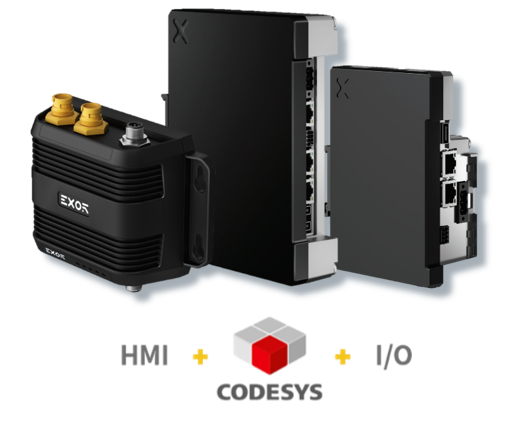
Furthermore, the Xinmai IoT HMI/Gateway has built-in CODESYS PLC Runtime. Once activated, it can be used as an integrated SoftPLC+HMI device, supporting expansion IO modules and communication modules, enabling certain real-time control functions.
1. Install HMI CODESYS Package
(1) The HMI CODESYS Package allows the CODESYS programming software to program the HMI's internal PLC.
(2) The HMI CODESYS Package is located in the JMobile Studio installation directory, specifically at “\CODESYS\V3”.

(3) File Installation:
-
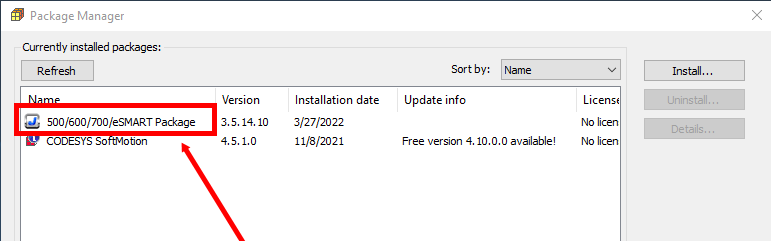
Method 1: Double-click the “.package” file. This will install the necessary files for the CODESYS V3 PLC Runtime functionality, regardless of whether it's a full or classic installation.
-
Method 2: Use the “Package Manager” tool in the CODESYS programming software to confirm already installed “.package” files or to install new ones. Click the “install” button, select the appropriate file path, and click “open”.
2. Install HMI Runtime
The HMI does not come with HMI Runtime pre-installed from the factory and will display the “Runtime Loader” upon first boot. The Runtime can be installed via Ethernet (requires a valid IP address) or USB (by creating an update package and selecting the boot program in the “Runtime Loader”).