RK3588 + FPGA + Multi-channel HD CMOS Camera + AI Recognition and Analysis Integrated Solution
-
- Product Overview
The INT-AIBOX-RK4 Smart Edge Analysis All-in-One Machine is a high-performance, low-power edge computing product. It is equipped with the domestically produced RK3588 TPU chip, featuring 6Tops of NPU computing power, and supports up to 8K video encoding and decoding.
This product highly integrates high-precision AI intelligent algorithms based on computer vision and deep learning networks, as well as a comprehensive video intelligent management platform. The AI intelligent algorithms cover various algorithms for scenarios such as industrial parks, communities, construction sites, and campuses, which can be combined on demand and configured according to the scenario. The comprehensive video intelligent management platform supports front-end device management, real-time video preview, alarm push, forensic capture, online algorithm loading and optimization, data situational analysis large screen display, etc. The device is easy to operate and plug-and-play, while also featuring rich northbound API interfaces to empower upper-layer business application platforms.
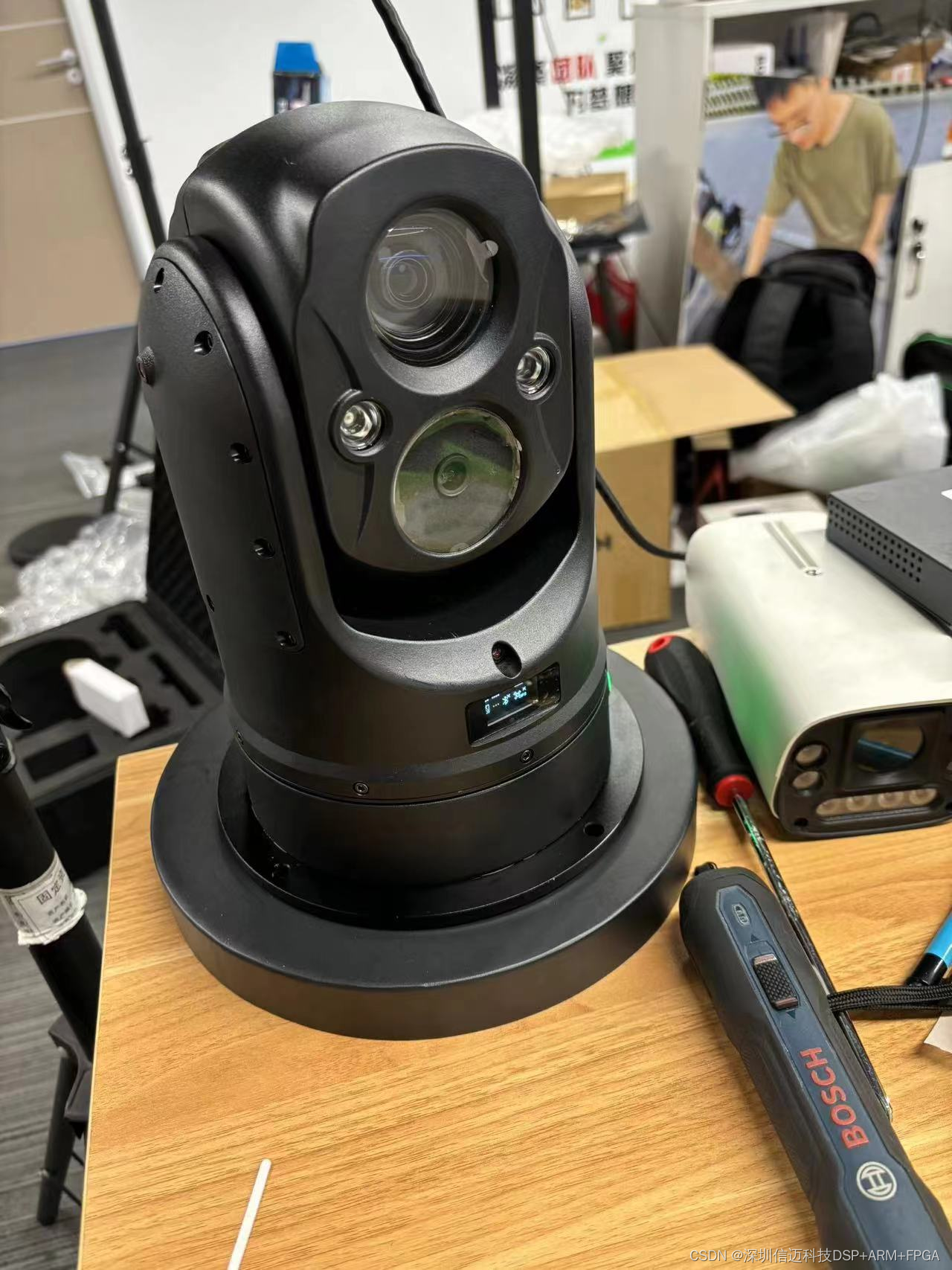
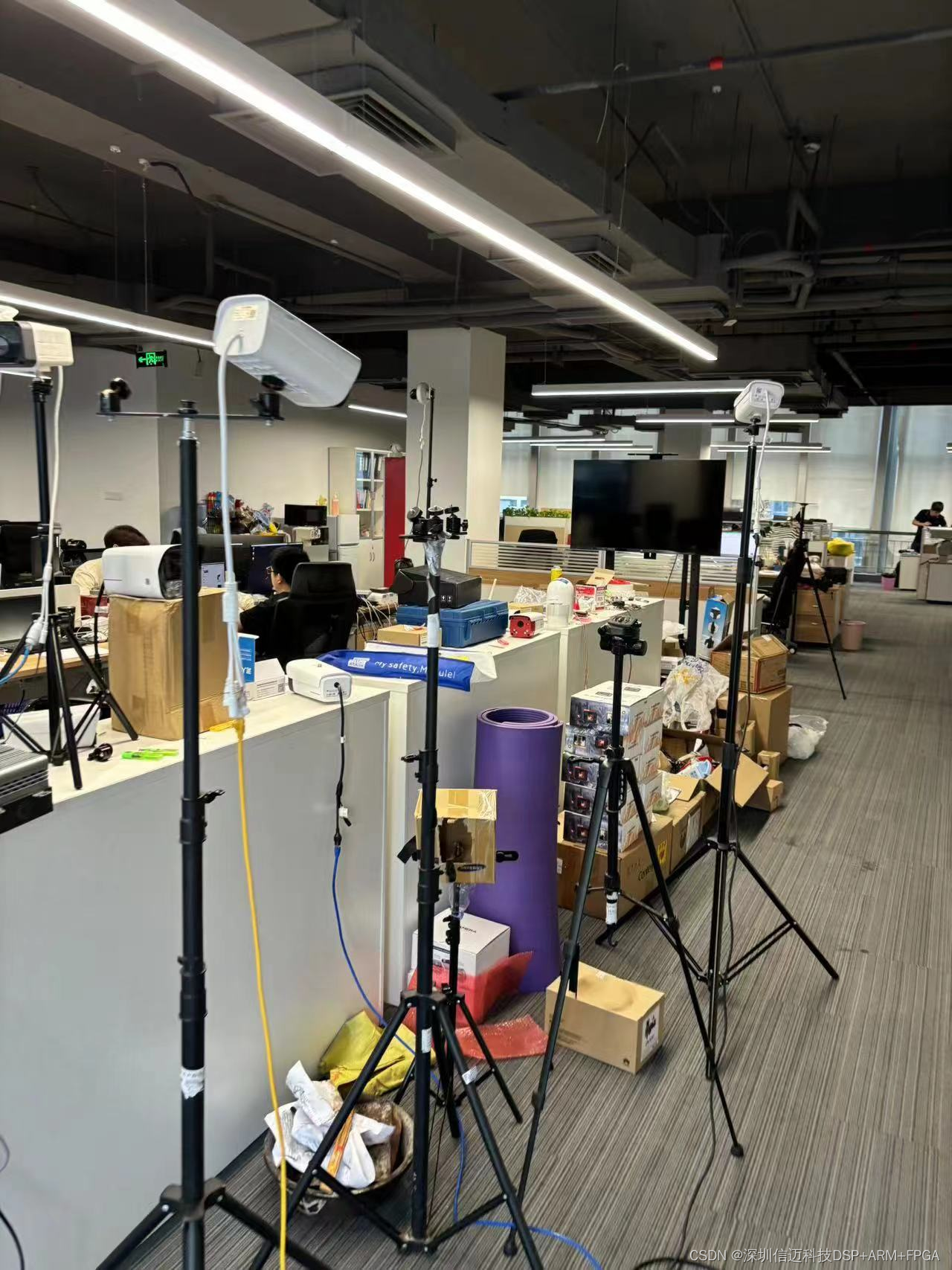
-
- Product Features
Ultra-High Performance Computing and Encoding/Decoding Capabilities
- Supports NPU peak computing power up to 6Tops;
- Supports full-process handling of up to 4 channels of 1080P HD video;
- Supports hardware decoding of up to 4 channels of H.264/H.265 1080P@25FPS video;
- Supports hardware encoding of up to 4 channels of H.264/H.265 1080P@25FPS video.
Built-in Rich AI Algorithms
- Built-in 30+ AI algorithms, supporting flexible matching and custom combinations;
(Supports algorithms such as flame detection / smoke detection / smoking detection / phone call detection / mobile phone usage detection / mask non-wearing detection / personnel absenteeism detection / personnel sleeping on duty detection / personnel fall detection / area crowd counting / insufficient area crowd / excessive area crowd / abnormal area crowd / area intrusion detection / work uniform detection / safety helmet detection / reflective vest detection / electric vehicle detection / regulated parking (illegal parking) / entrance/exit passenger flow statistics / vehicle flow statistics / perimeter crossing intrusion / personnel boundary crossing detection / loitering detection / un-binned trash detection / overflowing trash bin detection / trash disposal reminder / camera abnormal displacement detection)
- Each video channel supports up to 3 AI analysis tasks running simultaneously;
- Supports up to 4 video AI analysis tasks running simultaneously; if more than 4 AI analysis tasks are required, they can be analyzed in a polling manner.
Rich Interfaces, Flexible Deployment
- Supports rich interfaces: 1000M Ethernet port, USB3.0/USB2.0, HDMI, RS-485, RS-232;
- Supports wide operating temperature environment from -20℃ to +60℃;
- Supports IP40 protection level and fanless heat dissipation;
- Northbound interfaces: Supports HTTP protocol, MQTT protocol, GB28281;
- Southbound interfaces: Supports GB28281, Onvif, RTSP.
High Reliability, Encrypted Protection
- Supports high-capacity eMMC with development support for primary and backup partitions;
- Supports abnormal fault alarm and protection handling mechanisms;
- Supports programmable encryption chip for privacy information protection.
Easy-to-use Toolchain, Flexible Development
- Supports mainstream deep learning frameworks such as Caffe/DarkNet/TensorFlow/PyTorch/MXNet/ONNX/PaddlePaddle;
- Supports mainstream classification and detection network models, and custom operator development;
Supports Docker containerization for rapid deployment of algorithm applications.
-
- Technical Specifications
Specifications
Product Model
INT-AIBOX-RK-4
Technical Specifications
Chip
NPU
RK3588 6Tops
CPU
Cortex-A76+Cortex-A55 Octa-core 2.4GHz
Video/Image Encoding and Decoding
Video Decoding Capability
Supports H.265/H.264/AV1/VP9/AVS2 video decoding, up to 8K60FPS
Video Encoding Capability
Supports H.264/H.265 video encoding, up to 8K30FPS
Memory and Storage
Memory
8GB
eMMC
128 GB
External Interfaces
Network Port
10/100/1000Mbps adaptive
USB
USB3.0 *2 / USB2.0 *3
Display
HDMI *1
Audio
3.5mm audio jack *1
Power Button
PWR power on/off button
Phoenix Terminal
Digital I/O / Alarm *4
Physical Specifications
Dimensions
LWH
177.5 mm * 120 mm * 48.75 mm
Power Supply and Consumption
Power Supply
DC+12V/2A
Typical Power Consumption
~8W (depending on configuration)
-
- Product Appearance and Dimensions
- Front Panel Interface Diagram
- Product Appearance and Dimensions
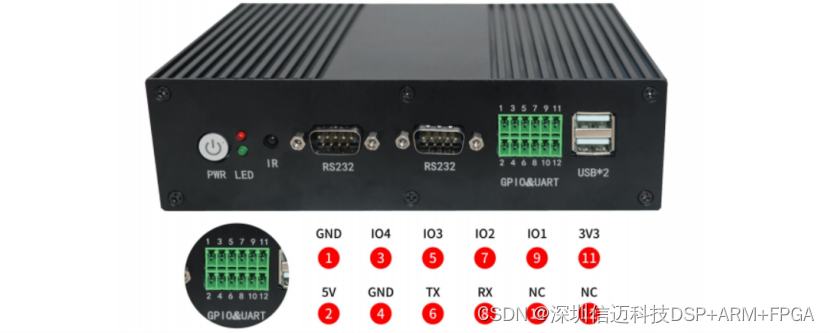
Panel Silkscreen
Name
Description
PWR
Power On/Off Button / LED Indicator
Power On/Off Button / LED Indicator Description:
- Press and hold for 3 seconds to power on, a solid green light indicates normal power status;
- Press and hold for 3 seconds to power off, a solid red light indicates power-off status.
USB*2
USB Interface
Two USB2.0 interfaces, one above the other.
TX
Debug Transmit Signal
Debug transmit signal, needs to be used in conjunction with the RX signal.
RX
Debug Receive Signal
Debug receive signal, needs to be used in conjunction with the TX signal.
A1
RS485 Positive Pole
RS485 interface positive pole, needs to be used in conjunction with the B1 signal.
B1
RS485 Negative Pole
RS485 interface negative pole, needs to be used in conjunction with the A1 signal.
A2
RS485 Positive Pole
RS485 interface positive pole, needs to be used in conjunction with the B2 signal.
B2
RS485 Negative Pole
RS485 interface negative pole, needs to be used in conjunction with the A2 signal.
IN1
I/O1 Input
GPIO1 input, can be used as an alarm input.
IN2
I/O2 Input
GPIO2 input, can be used as an alarm input.
COM
RELAY Common Terminal
Common terminal for RELAY wiring.
NO
RELAY Normally Open
Normally open terminal for RELAY wiring.
NC
RELAY Normally Closed
Normally closed terminal for RELAY wiring.
12V
DC Output Interface
DC 12V power output interface.
GND
Ground Signal
Phoenix terminal ground signal.
-
-
- Rear Panel Interface Diagram
-
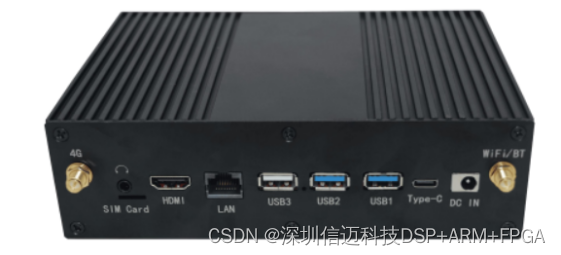
Panel Silkscreen
Name
Description
DC IN
Power Interface
12V power interface, DC+12V/2A
LAN
Ethernet Interface
RJ45 Ethernet interface, 1000M/100M/10M
HDMI
HDMI Output Interface
Connect directly to a display to access the platform.
-
- Installation Requirements
Category
Item
Description
Environmental Requirements
Ventilation Requirements
- Ensure air circulation in the installation environment, leaving adequate heat dissipation space around the device.
- Strictly prohibit placing the device near heat sources (e.g., electric heaters, heating elements, etc.).
Dustproof Requirements
- Outdoor installation environments (e.g., surveillance equipment boxes, pole-mounted enclosures, etc.) must meet IP40 protection level.
Moisture-proof Requirements
- Strictly prohibit placing the device near water sources (e.g., washrooms, etc.).
- Strictly prohibit the device from operating in environments with condensation, water seepage, etc.
Electromagnetic Requirements
- Keep away from power system grounding devices; grounding should not be shared with them.
- Keep away from high-power radio stations, radar, and other high-frequency, high-current equipment.
- In strong electromagnetic environments, electromagnetic shielding is recommended to protect the device.
Location Requirements
Compliant Locations
- Server rooms, sealed air-conditioned rooms, air-conditioned cabinets.
- Corridors, underground parking lots, venues, non-open-air platforms.
Non-compliant Locations
- Outdoor marine environments (e.g., offshore, deep sea, underwater, etc.).
Space Requirements
Cabinet Requirements
- Standard 19-inch cabinet (with grounding and ventilation/heat dissipation conditions).
Enclosure Requirements
- Enclosure environment that meets IP40 protection level and has ventilation/heat dissipation conditions.
Safety Requirements
Anti-static Requirements
- Ensure the device is properly grounded.
- Personnel performing device installation and operation must wear anti-static clothing and anti-static gloves or wrist straps.
-
- Smart AI Management Platform
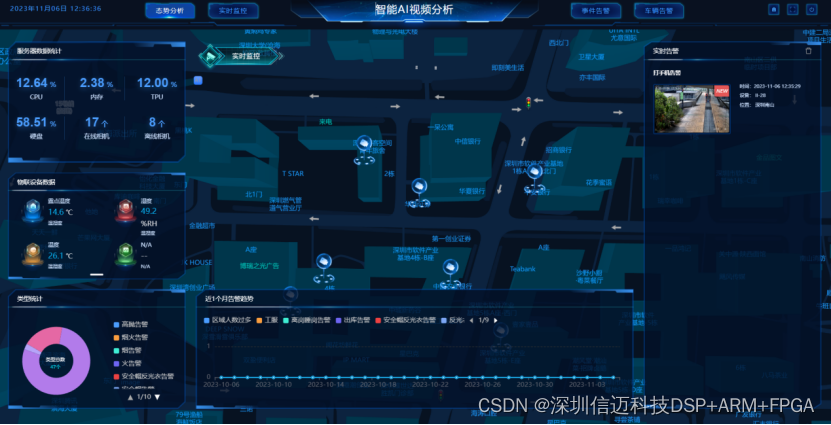
The platform includes 6 major modules: Smart Monitoring / Alarm Center / Smart Analysis / Device Management / Basic Data / System Management.
-
-
- Platform Login
-
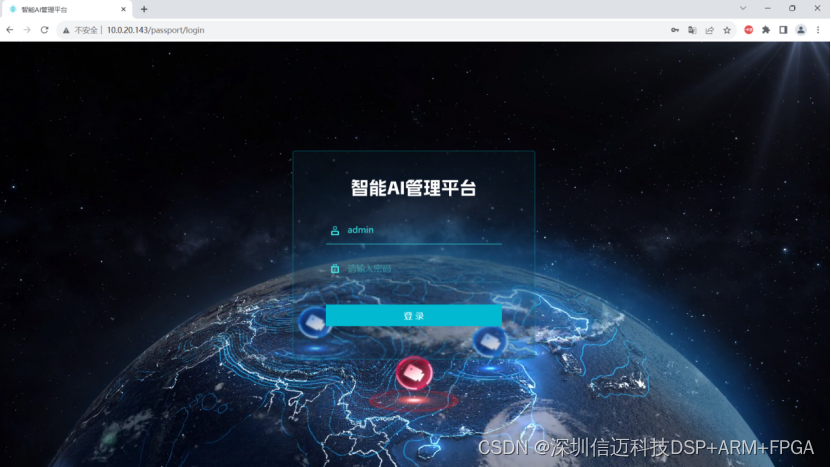
Open the platform login page by entering the device IP in a browser, then enter username/password: admin/123456 to log in.
-
-
- Platform Basic Mode
-
-
-
- Visualization Mode
-
-
-
- Alarm Center
-
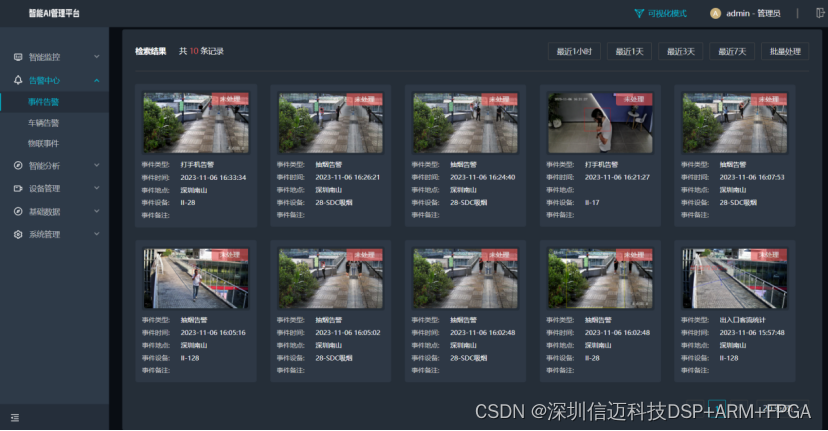
View behavior analysis event alarms, vehicle alarms, personnel alarms, etc.
-
-
- Smart Analysis
-
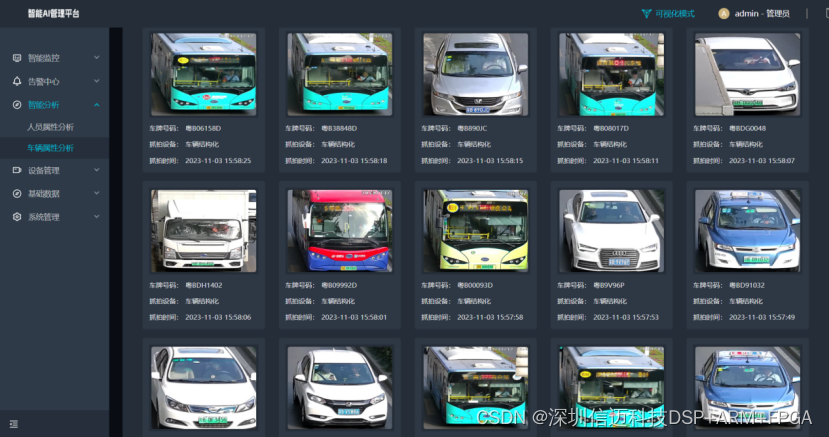
View structured data for personnel attributes and vehicle attributes.
-
-
- Device Management
-
Can cascade multiple smart edge all-in-one machines / connect smart cameras with algorithms / integrate existing ordinary cameras.
Can connect IoT devices / connect network devices.
-
-
- Basic Data
-
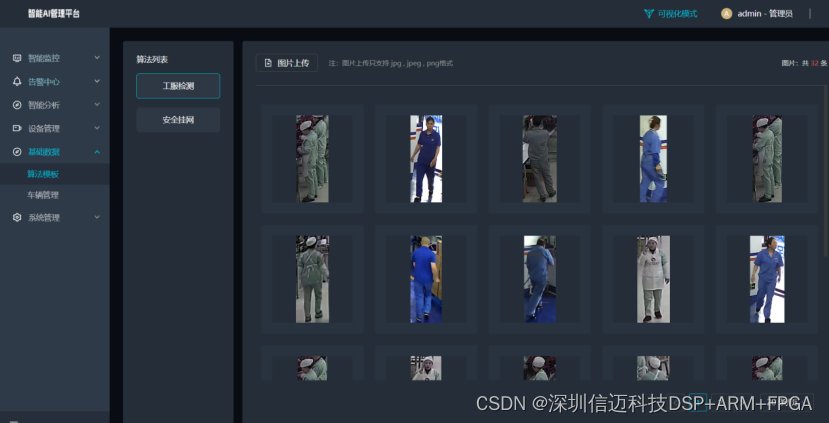
Can import face databases, license plate databases, and general work uniform databases.
-
-
- System Management
-
Can perform system network configuration, algorithm upgrades, platform upgrades, system operation and maintenance, etc.