10 Reasons to Choose Custom Software Development with LabVIEW
-
Enhance Processing Power and Flexibility Through Software
One of the greatest advantages of using computer-based data acquisition systems is the ability to use software to customize your test system’s functionality and visualization features to meet your specific application needs. Manual testing is expensive, slow, and error-prone, whereas software-defined systems can execute tasks faster and with consistent accuracy. LabVIEW provides a unified programming interface for data acquisition devices, enabling seamless integration between hardware and software. You can automate measurements across multiple devices, analyze acquired data in parallel, and create custom reports within minutes using LabVIEW. -
Accelerate Your Productivity
LabVIEW increases productivity by allowing you to focus on data and data processing, eliminating many of the administrative complexities of traditional programming such as memory allocation and language syntax. Built-in, specialized engineering software libraries make it easier to acquire, analyze, control, and share data—enabling you to concentrate on your data rather than on programming. -
Built on Industry-Leading Innovation
National Instruments is a leading developer of virtual instrumentation software and hardware with over 25 years of research and development experience. You can feel confident knowing that the platform you rely on is backed by a strong R&D team, a network of leading technology partners, and a proven track record of innovation in software and reliable hardware design. -
Deploy Multiple Standalone Applications
With the LabVIEW Application Builder, you can create multiple standalone applications that can be deployed to other systems. Distribute royalty-free versions of your software as end-user applications, or provide shared libraries to developers for integration into other development environments. LabVIEW makes it easy to create installation packages that include all necessary drivers and the runtime engine required to run your executable files.
5. Save Time Using Pre-Built Components
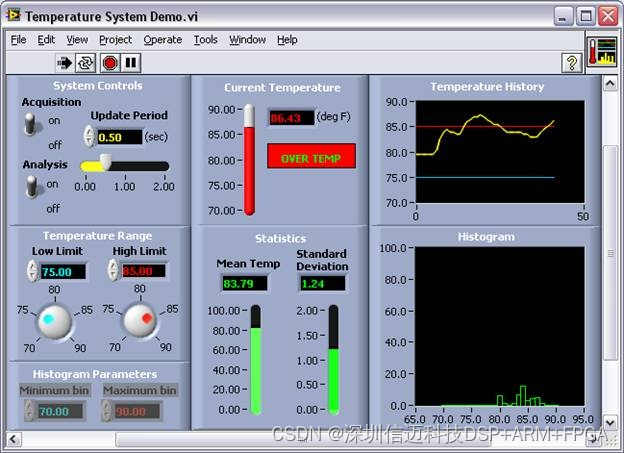
You don’t need to build your entire data acquisition system from scratch. LabVIEW’s built-in Express VIs and example programs can save up to 80% of your development time. Express VIs use interactive configuration windows and simple drop-down menus to guide you step-by-step through setup, allowing you to apply custom scaling and engineering units. For the most common measurement tasks—from simple single-channel measurements to advanced timing, triggering, and synchronization across multiple devices—LabVIEW includes numerous open, executable example programs. Configuring measurements for voltage, current, temperature, pressure, sound, and other sensors has never been easier.
-
Turn Raw Data into Results
LabVIEW includes thousands of advanced analysis functions specifically designed for engineers and scientists, all accompanied by detailed help files and documentation. With these powerful tools, you can perform advanced signal processing, frequency analysis, probability and statistics, curve fitting, interpolation, digital signal processing, and more. You can extend LabVIEW with specialized toolkits for sound and vibration, machine vision, RF communications, and transient or short-duration signal analysis. For additional analysis needs, LabVIEW can be integrated with algorithms developed in third-party software. -
Customize Your User Interface with Drag-and-Drop Ease
Using hundreds of drag-and-drop controls, charts, and 3D visualization tools, you can quickly build a graphical user interface (GUI). Interface elements designed specifically for engineers and scientists work seamlessly with acquired and analyzed data, eliminating the need for complex reformatting or custom development. You can also incorporate custom images and logos, or modify default controls to achieve a unique, professional appearance.
8. Log Data and Generate Reports
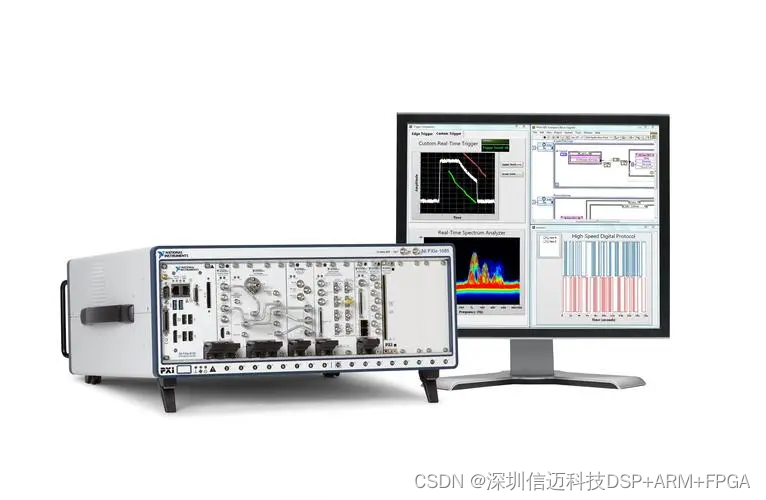
Writing data to disk or generating a custom report is as simple as calling a function in LabVIEW. Native file formats are optimized for high-speed data streaming, and LabVIEW integrates easily with NI DIAdem software, enabling rapid locating, inspecting, analyzing, and reporting of measurement data. LabVIEW also works seamlessly with spreadsheet applications such as Microsoft Excel. You can attach descriptive metadata to your measurement results using LabVIEW, making them easier to reference and interpret offline.
-
Stay Informed and Protect Your Investment
Whether you're a single user or an enterprise with multiple licenses, the LabVIEW Software Maintenance and Support Program helps you maximize your software investment. Receive automatic access to the latest software updates and service packs to stay current with technological advancements. Reduce application development time with direct technical support from LabVIEW application engineers. Access exclusive online training modules to learn about the latest features, application techniques, and best practices in software development. -
Increase Your Professional Value
LabVIEW training courses help you quickly acquire new skills, and LabVIEW certification validates your understanding of proper documentation and development practices—making your applications easier to develop, support, and maintain. Certification also gives your clients, colleagues, and employers greater confidence in your capabilities, potentially leading to new business opportunities, promotions, career advancement, and increased earning potential.