Design of a ZYNQ-Based PCIe High-Speed Data Acquisition Card (5): Host Software Design
4.4 Host Software Design
The host software is primarily responsible for receiving data and saving it to files. Since the acquisition card is a PCIe device, its development must be based on a PCIe device driver. In this design, the WinDriver development tool is selected to generate the PCIe device driver and function library. Based on this driver, the overall functionality of the host software is developed within the Visual Studio (VS) environment. This section first introduces WinDriver, then explains the driver generation process, followed by the development of various functions in the VS environment using the generated driver. Finally, the host software interface is presented and described.
4.4.1 WinDriver Introduction and Driver Generation
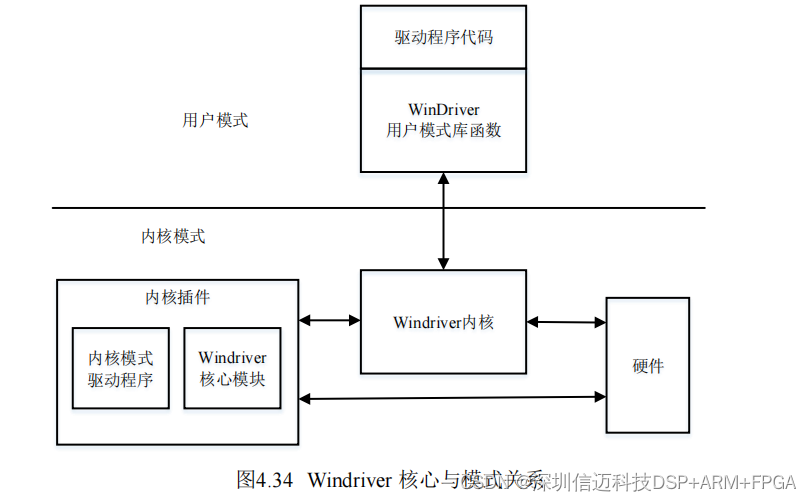
WinDriver uses low-level drivers for device development. The core driver that communicates with hardware is windrvr.sys. Developers only need to call functions from the WinDriver-provided library within their application to implement various low-level functionalities. These library functions interact with the WinDriver kernel by invoking functions declared in the windrvr.h header file, thereby accessing corresponding features of the core module and ultimately enabling the application to control peripheral hardware.
WinDriver operates in two modes: kernel mode and user mode. By calling library functions in user mode, these functions in turn invoke kernel-mode operations to control the hardware. The overall connection architecture is shown in Figure 4.34.
The WinDriver kernel and user-mode drivers can be automatically generated and packaged by WinDriver according to the device type. Taking a PCI device as an example, first launch the WinDriver software, which displays the interface shown in the figure below, listing all devices currently connected to the PC.
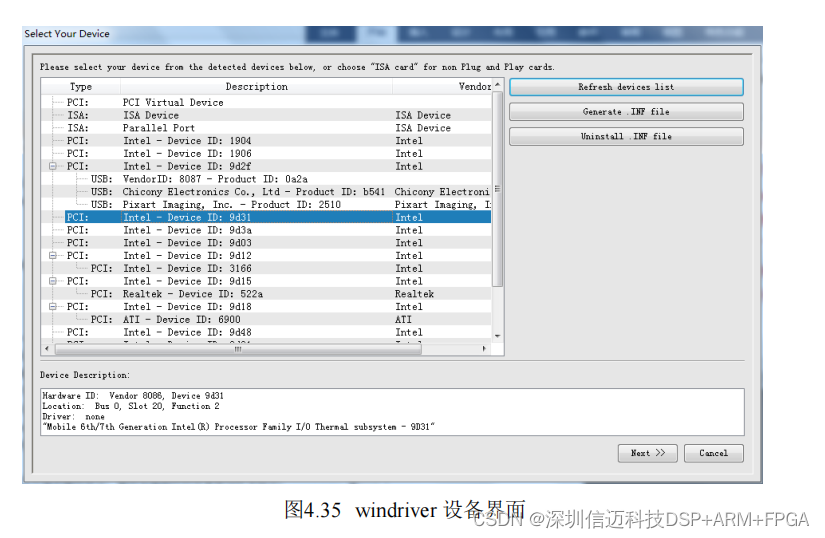
Select a PCI device and click "Generate .INF". This opens the interface shown in the figure below. The box displays the Vendor ID and Device ID. Check the option "Automatically install the INF file", then click Next. The PC will automatically generate and install the INF file for this PCI device and create the WinDriver kernel driver file.
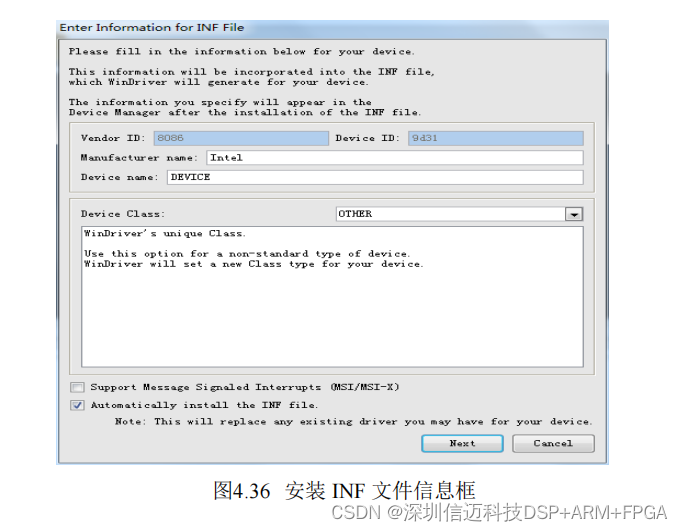
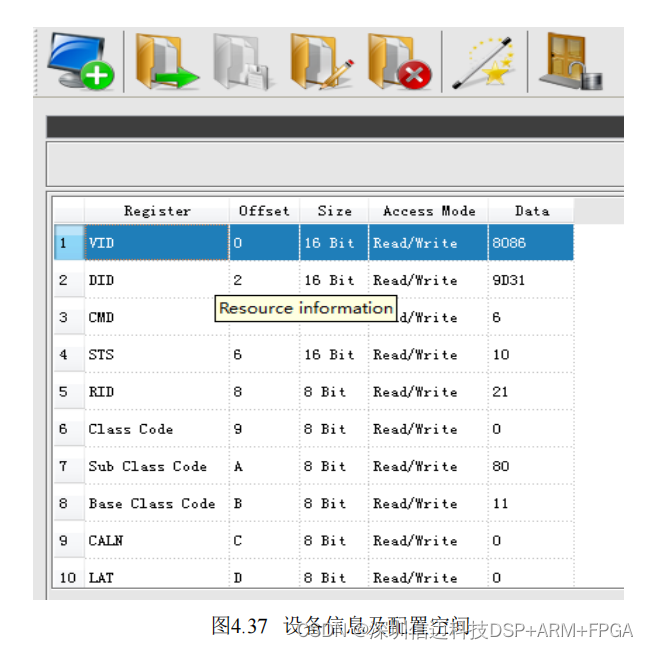
Figure 4.37 shows the configuration space of this PCI device.
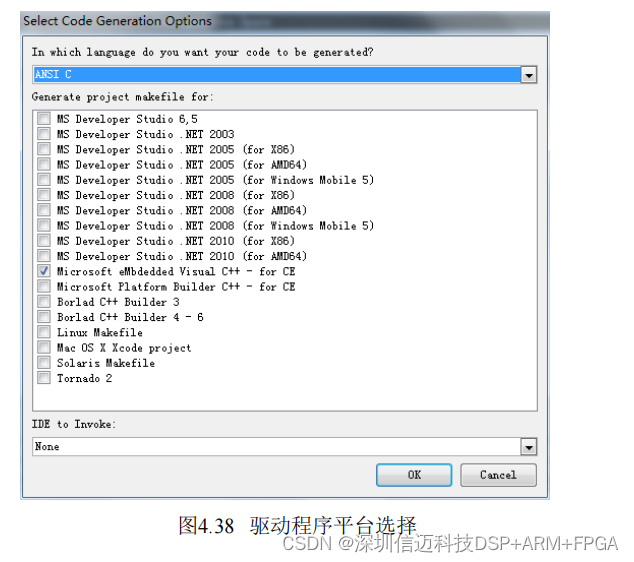
Next, generate the library functions and user driver. Click the "Generate Code" button in this interface to open the window shown in Figure 4.38. Since the host software is developed using VS, select the option to generate the driver for the VS platform.
The generated library and user driver functions are shown in Figure 4.39. The .c file is the user driver file, which defines configuration functions, register read/write functions, etc. The _lib.c and _lib.h files are the library files, which define functions such as device open/close and interrupt handling.