Validation and Production Test Automation Based on Domestic ARM+FPGA+AD
TestStand is a test execution software that helps engineers accelerate system development and deployment in validation and production stages.
Validation and Production Test Automation
TestStand leverages its features to automate, accelerate, and standardize the entire test process across all user test systems:
- Call and execute tests written in LabVIEW, Python, C/C++, or .NET
- Execute complex tasks such as parallel testing, scanning, looping, and synchronization
- Create custom operator interfaces and powerful tools for deployment and debugging
- Track devices, create automated reports, and store results to local or network databases
What are the applications of TestStand?
Develop tests and deploy them to systems. Standardize and streamline workflows. Learn how TestStand helps test engineers overcome time-to-market limitations by improving efficiency:
What are the applications of TestStand?
Develop tests and deploy them to systems. Standardize and streamline workflows. Learn how TestStand helps test engineers overcome time-to-market limitations by improving efficiency:
How to Develop Automated Production Test Systems Using TestStand?
TestStand is an out-of-the-box test management software that provides multiple native tools for configuring parallel tests, adapter modules for calling test code written in other programming languages, and automatic report generation capabilities, significantly simplifying the development of automated production test systems.
Understanding TestStand's Features
TestStand is a ready-to-run test management software that helps you quickly develop automated test systems. You can use TestStand to build sequences executed by automated test systems. To meet all test requirements, you can extend system functionality by calling code written in various programming languages, including LabVIEW, C/C++, .NET, and Python. TestStand's built-in report generation feature makes recording and sharing all test data simple.
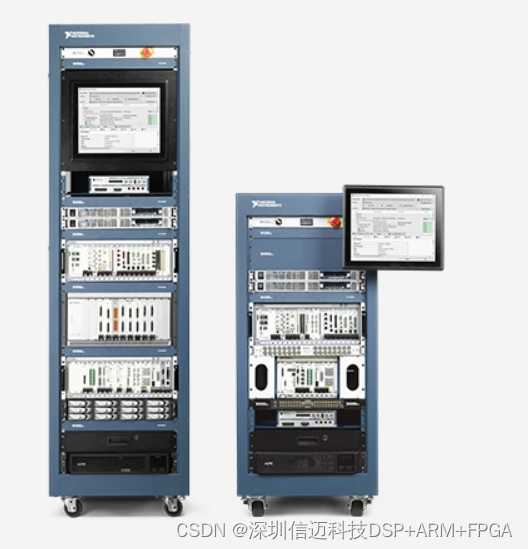
Applications of TestStand
Customize test sequences to meet various test requirements
Extend the functionality of test sequences by using TestStand's built-in adapter modules, calling code written in any programming language to meet the needs of each test. You can automatically execute code modules to interact with the DUT and test equipment.
Automatically save and report test data
Use TestStand's automatic report generation feature to save and share test data, and create files in various industry-standard formats such as ATML, XML, HTML, and text. You can record these test results in an enterprise database, which not only facilitates future data analysis but also simplifies data sharing.
Improve Test Throughput Through Parallel Testing
Use TestStand's built-in tools to reduce test time and simplify the configuration of parallel test equipment. The test system can test multiple devices at once or run multiple tests simultaneously on one device, which can effectively improve the throughput of the test system.