基于AM5728的OpenCL例程开发分享
Title: OpenCL Example Development Guide Based on AM5728
Content:
User Manual for OpenCL Examples Based on AM57x
1 Introduction to OpenCL
OpenCL (short for Open Computing Language) is the first open, royalty-free standard for general-purpose parallel programming across heterogeneous systems. It provides a unified programming environment that enables software developers to write efficient and portable code for high-performance computing servers, desktop systems, and handheld devices. OpenCL is widely applicable to various parallel processors such as multi-core CPUs, GPUs, Cell-type architectures, and digital signal processors (DSPs), offering broad prospects in fields like gaming, entertainment, scientific research, and medical applications.
2 Compiling OpenCL Examples
This example is developed using the Xinming XM5728-IDK-V3 development board.
On Ubuntu, execute the following command to install gawk, a text find-and-replace utility:
Host# sudo apt-get install gawk
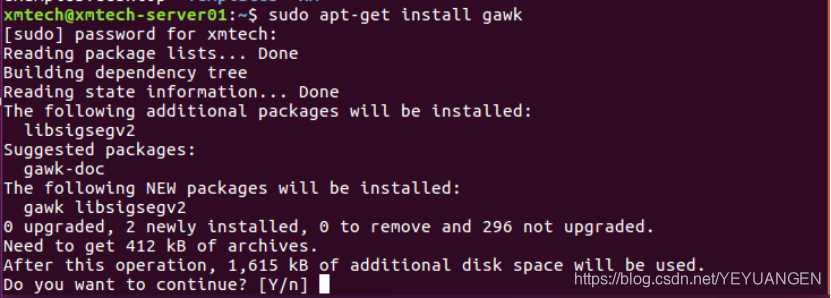
Figure 1
Enter 'Y' to confirm installation. Upon successful installation, the output will be as shown below:
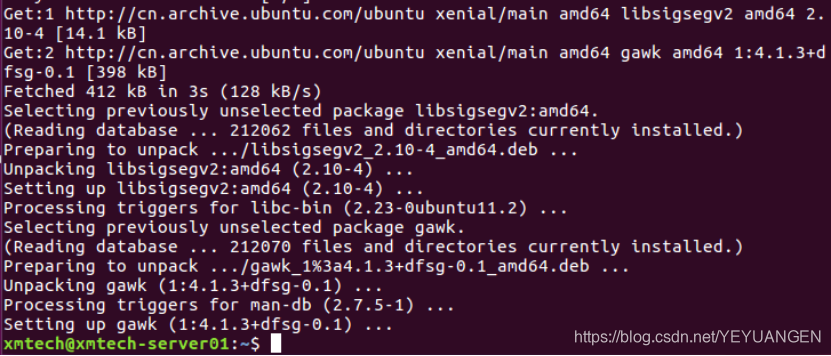
Figure 2
Ensure the appropriate version of the Linux Processor-SDK package is installed. Navigate to the SDK root directory and run the following command:
To compile the OpenCL examples:
Host# sudo make opencl-examples
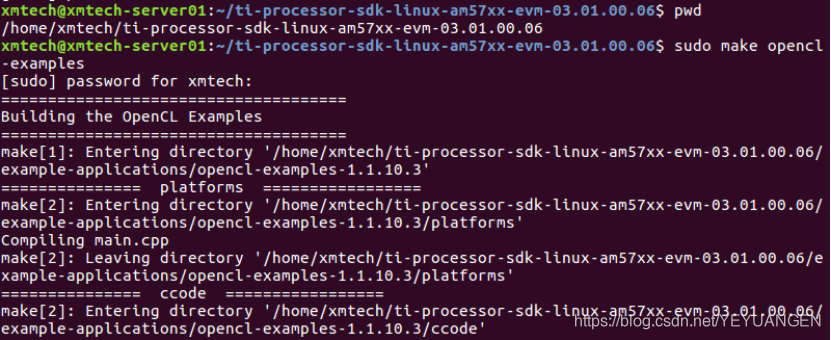
Figure 3
After compilation completes, executable files will be generated under the current path: example-applications/opencl-examples-1.1.10.3. Copy these executables to the development board's file system.
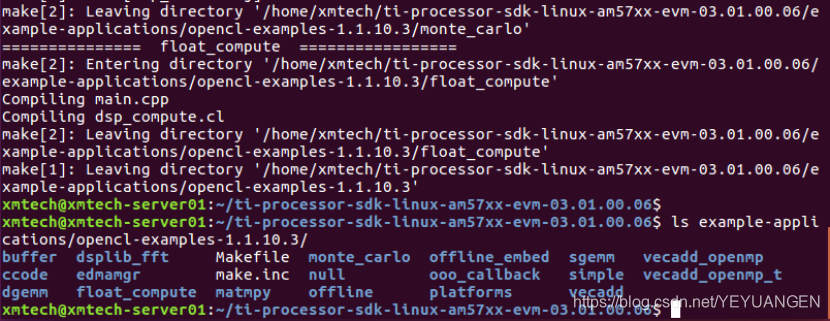
Figure 4
For customer convenience, verified OpenCL executable files are provided on the CD-ROM at the path Demo/OpenCL/OpenCL/bin/opencl.tar.gz. Copy this file to the development board's file system. Navigate to the directory and run the following command to extract:
Target# tar xvf opencl.tar.gz
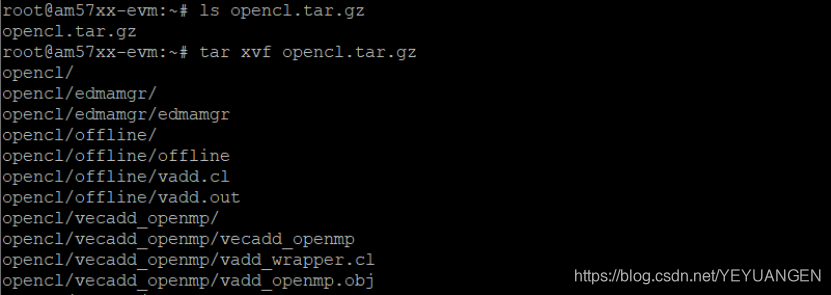
Figure 5
3 OpenCL Example Testing
3.1 Vector Addition
Run the following command on the development board's file system to test the vecadd example:
Target ./opencl/vecadd/vecadd
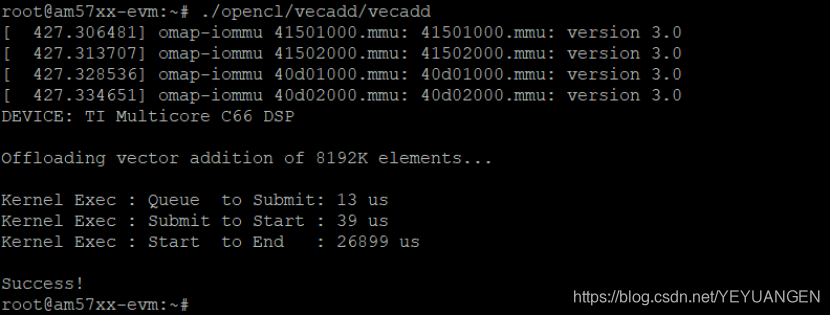
Figure 6
The result shows: addition of two 4D vectors with 8192K elements takes 26,476 microseconds.
3.2 Parallel Vector Addition Using OpenMP
This example performs vector addition (8192 elements, 1D vector) using OpenMP parallelization. Execute the following commands on the development board's file system:
Target cd opencl/vecadd_openmp
Target ./vecadd_openmp
Figure 7
3.3 Floating-Point Computation
This example performs floating-point calculations on both the ARM side (using two OpenMP threads) and the DSP side (accelerated via OpenCL), with a data size of 2*1024*1024 elements.
On the development board's file system, execute:
Target cd opencl/float_compute/
Target ./float_compute
Figure 8
As shown in the output above, the ARM side takes 4,010 μs, while the DSP side takes 7,718 μs.
3.4 dsplib_fft Example
On the development board's file system, run the following commands to test FFT computation. The results are shown below:
Target cd opencl/dsplib_fft/
Target ./dsplib_fft
Figure 9
3.5 Monte Carlo Method (monte_carlo)
Run the following commands on the development board's file system to test the Monte Carlo method accelerated by OpenCL on the DSP:
Target cd opencl/monte_carlo
Target ./monte_carlo
Figure 10
Figure 11
4 OpenCL Acceleration Performance Test
This example tests the following functionality: read specified image data, perform grayscale conversion and Canny edge detection, measure processing time, and save the processed image to the current directory.
The main purpose is to evaluate whether OpenCL accelerates these two algorithms. Processing times are measured with OpenCL disabled and enabled, respectively. The results are then compared and validated against official test data.
Example source code path: Cloud drive Demo/OpenCL/OpenCL_performance_test/src
Executable and test script path: CD-ROM Demo/OpenCL/OpenCL_performance_test/bin
Test image path: CD-ROM Demo/OpenCL/OpenCL_performance_test/data
4.1 Example Compilation
Copy the example source code from the cloud drive Demo/OpenCL/OpenCL_performance_test/src to any directory on Ubuntu. Enter the source directory and run the following command to compile:
Host# cd ~/AM57xx/Demo/OpenCL/OpenCL_performance_test/src
Host# make SDK_INSTALL_PATH=/home/xmtech/ti-processor-sdk-linux-am57xx-evm-03.01.00.06
Figure 12
After compilation, an executable named canny will be generated in the current directory. Copy it to the development board's file system under /home/root/.
Also copy the bin and data folders from Demo/OpenCL/OpenCL_performance_test on the cloud drive to /home/root/ on the development board. The bin folder contains two test scripts: opencl_off.sh and opencl_on.sh. The data folder contains two images of different sizes and formats: TL5728_1080p.jpg and lena.png.
Figure 13
4.2 Disabling OpenCL
The following tests compare performance with OpenCL disabled and enabled, using the images XM5728_IDK_V3.jpg and lena.png from the data folder.
Run the following commands: first disable OpenCL, then clear the cache before testing. Repeat the cache-clearing and testing steps five times, as shown below:
Target# source bin/opencl_off.sh
Target# sync; echo 3 >/proc/sys/vm/drop_caches
Target# ./canny data/XM5728_IDK_V3.jpg
Figure 14
Take the average of the five test results:
Ø BGR2GRAY tdiff = 79.02ms
Ø Canny tdiff = 255.81ms
4.3 Enabling OpenCL
Run the following commands: first enable OpenCL, then clear the cache before testing. Repeat the cache-clearing and testing steps six times, as shown below:
Target# source bin/opencl_on.sh
Target# sync; echo 3 >/proc/sys/vm/drop_caches
Target# ./canny data/XM5728_IDK_V3.jpg
Figure 15
A total of six tests were conducted. Remember to clean the kernel cache before each test to avoid inaccurate results. The first run with OpenCL enabled incurs additional delay (approximately tens of seconds) due to kernel compilation on the AM57xx. Therefore, the first test result should not be used for analysis. Official explanation:
Please note that the first run, with OpenCL on, has additional delay of ~1min, due to kernel compilation on AM57xx. This is constrained to first run only, if "TI_OCL_CACHE_KERNELS" environment variable is set.
From the six test results, take the average of the last five:
Ø BGR2GRAY tdiff = 217.54ms
Ø Canny tdiff = 14.41ms
4.4 Test Result Comparison
Similarly, following the above steps, calculate the processing time for lena.png with OpenCL disabled and enabled, and take the average of five test runs. The comparison is summarized in the table below:
Table 1
| Test Algorithm | OpenCL Disabled | OpenCL Enabled | Speedup Ratio | |----------------|------------------|----------------|----------------| | XM5728_IDK_V3.jpg | | | | | BGR2GRAY | 79.02ms | 217.54ms | 0.364 | | Canny | 255.81ms | 14.41ms | 17.76 | | Lena.jpg | | | | | BGR2GRAY | 42.38ms | 210.76ms | 0.201 | | Canny | 55.40ms | 18.51ms | 2.993 |
Speedup Ratio = Processing time with OpenCL disabled / Processing time with OpenCL enabled.
Below are the official test results:
Figure 16
BGR2GRAY Speedup Ratio = 0.345
Canny Speedup Ratio = 1.690
The test results show that our findings align with the official conclusions: OpenCL does not improve performance for the BGR2GRAY algorithm—instead, it introduces overhead. However, for the Canny algorithm, OpenCL provides significant acceleration. Compared to the official speedup ratios, our measured values are higher, which may be attributed to differences in the test image files.
Other OpenCL kernel performance data provided by TI:
Link: http://processors.wiki.ti.com/index.php/OpenCV
Figure 17
Figure 18
Figure 19
End.