XM5728_IDK_V3 Gigabit Network Speed Test Guide Using iperf on AM5728
This test is conducted on the XM5728_IDK_V3 evaluation board based on the TI AM5728 from Xinming Technology.
- iperf Network Speed Test Guide
iperf is a performance measurement tool for TCP/IP and UDP/IP that provides network throughput information, as well as statistics such as jitter, packet loss rate, maximum segment size, and maximum transmission unit (MTU) size.
The following procedure uses iperf to test network communication speed between the development board and Ubuntu. If iperf is not installed, run "sudo apt-get install iperf" on Ubuntu to install it.
On Ubuntu, execute the following commands to check the IP address and wait for the development board to connect:
Host# ifconfig
Host# iperf -s
On the development board's file system, run the following command to test network speed:
Target# iperf -c 192.168.1.102 -i 1
"192.168.1.102" should be replaced with the actual IP address of the Ubuntu machine.
Important notes during testing:
- Disable Wi-Fi on the Ubuntu computer.
- Disable the firewall using "sudo ufw disable".
- Do not use a virtual machine for Ubuntu.
- Use a Netgear router if possible, such as the NETGEAR R7800. Standard TP-LINK gigabit routers may not achieve optimal speeds.
- If testing with Windows:
Reference: https://www.jianshu.com/p/2781fe7a3ee0
iperf -s -p 5553 -i 1
iperf -c 192.168.1.102 -p 5553 -P 1 -i 1 -C -f k -t 20
When testing on Windows, the speed remains around 110 Mbps and does not improve. It is recommended to use Ubuntu for testing instead.
- Test Results:
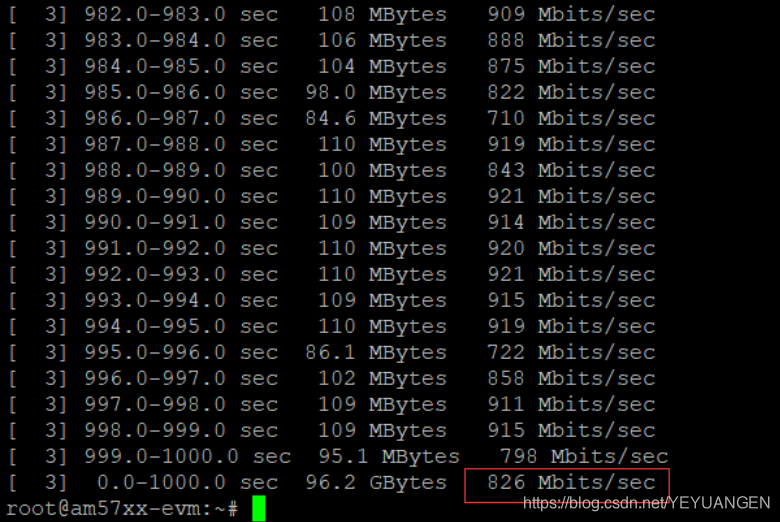
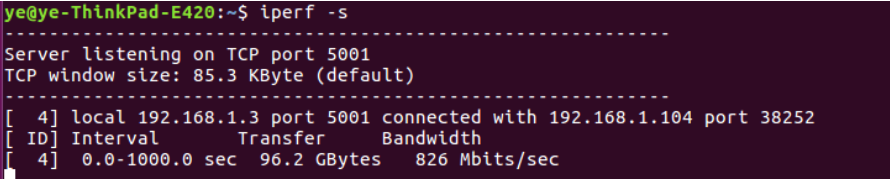
- XM5728-IDK-V3 1000-second test data:
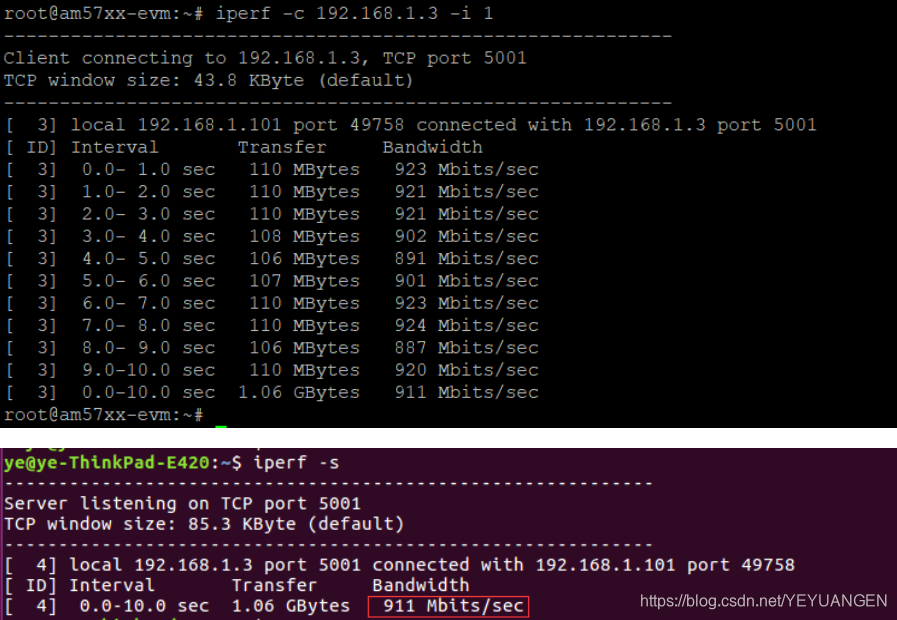
- 911 Mbps result:
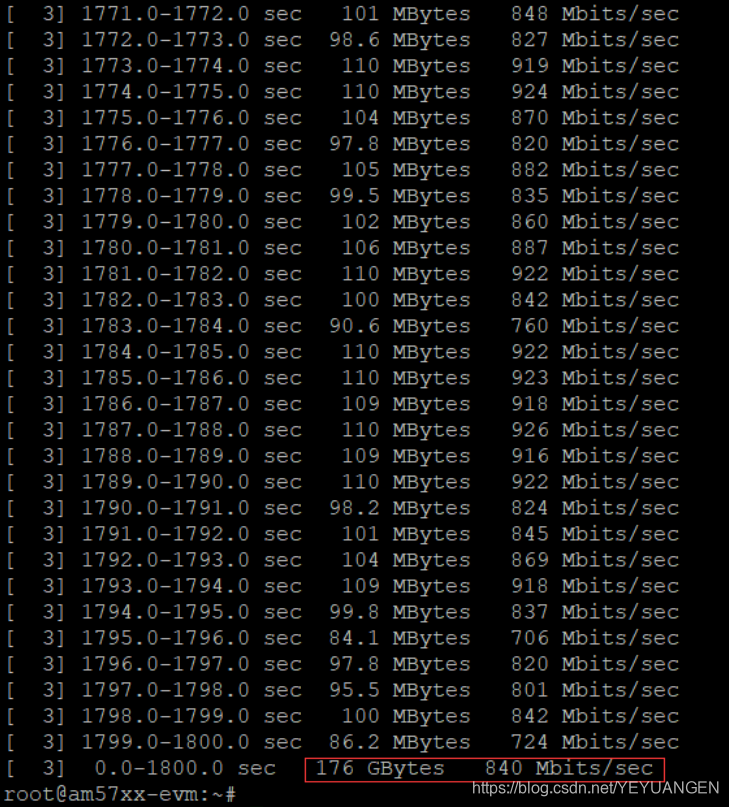
- Average 840 Mbps over 1800 seconds:

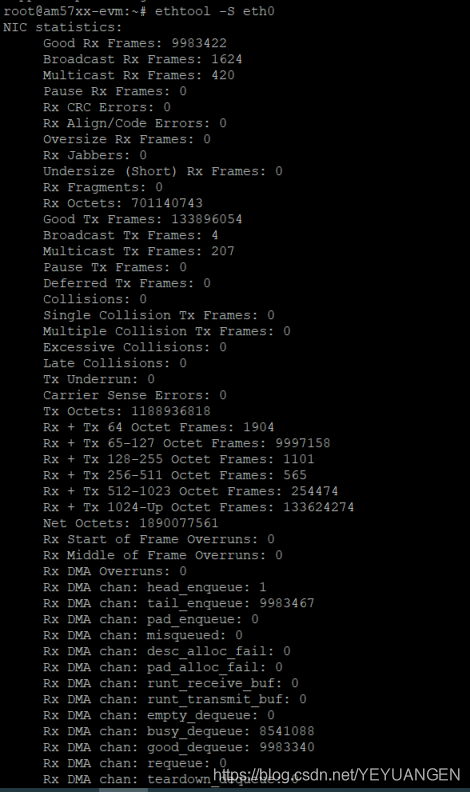
- No CRC errors or packet loss: